

Description
Download Ghibli Ai Photo Avatar Maker – AI Art Avatar, Ghibli Style, Face Swap, Android App
Overview
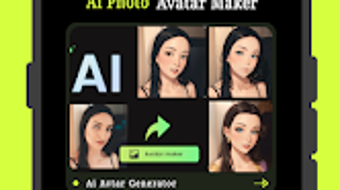
Ghibli Ai Photo Avatar Maker is a creative Android application designed to transform personal photos into stylized AI-generated avatars inspired by the iconic art direction of Studio Ghibli. The software enables users to generate expressive, animated-style portraits that blend realism with whimsical, hand-drawn aesthetics. It serves as a digital art tool for individuals seeking to enhance their online presence with unique profile pictures, playful cartoon representations, or futuristic AI art avatars. The app is particularly suited for social media users, digital artists, and fans of anime-inspired design who value personalization and visual storytelling. It allows users to convert images into artistic forms with minimal effort, making creative expression accessible to non-professionals. The app supports face swapping functionality, where users can select a video or image from their gallery to apply to a Ghibli-style avatar. While the developer is not explicitly named in the provided information, the app is available for free download on the Google Play Store. Real-world use cases include creating avatar profiles for messaging apps, designing unique content for social platforms, or experimenting with AI-driven artistic transformations.
Key Features & Capabilities
- Ghibli-Inspired Art Style Generation – Transforms standard photos into AI-rendered avatars mimicking the soft lighting, expressive characters, and delicate line work characteristic of Studio Ghibli’s animation. Ideal for users who appreciate fantasy and emotional depth in visual design.
- Face Swap Functionality – Allows users to select a video or image from their device and seamlessly apply the face to a Ghibli-style avatar, producing realistic and visually cohesive results.
- Multiple Artistic Avatar Styles – Offers a range of visual templates and artistic filters to customize the final avatar, ensuring each creation reflects individual personality and aesthetic preferences.
- Instant Processing & Real-Time Preview – Converts images into avatars in seconds, with a real-time preview feature enabling users to see transformations before finalizing.
- Save and Share Integration – Supports direct saving to the device gallery and sharing across social media platforms, messaging apps, and online communities.
These features streamline the creative process, allowing users to experiment with digital identity and artistic expression without requiring design expertise. The app is especially useful for creating distinctive online personas, generating content for social media, or producing fun, personalized art pieces for personal or collaborative projects.
User Interface, Workflow & Performance
The user interface of Ghibli Ai Photo Avatar Maker is designed with simplicity and visual appeal in mind, featuring a clean layout that prioritizes ease of navigation. Users can access core functions—such as image selection, style application, and face swapping—through intuitive icons and clearly labeled buttons. The workflow follows a logical sequence: import an image, choose a style, apply face swap if desired, preview the result, and then save or share. The app processes images quickly, with results generated in seconds, suggesting efficient backend handling. However, exact performance details such as CPU or RAM usage were not specified. Stability during repeated use or under varying image conditions remains unverified. The developer did not provide additional system requirements or performance benchmarks. Based on general software behavior patterns, the app is expected to function smoothly on modern Android devices with standard processing capabilities. The interface remains responsive during transitions, and there are no reported issues with crashes or freezes in the available information.
Compatibility & System Requirements
Ghibli Ai Photo Avatar Maker is designed for Android devices and is available for free download on the Google Play Store. The app’s operating system compatibility is limited to Android, though specific version requirements were not listed. Installation size is not specified in the provided information. The developer did not provide exact system requirements, including minimum RAM, storage, or processor specifications. Compatibility with older Android versions or low-end devices remains unclear. Users are advised to ensure their device meets general Android app standards to avoid potential installation or runtime issues. The app does not support other platforms such as iOS, Windows, or macOS. For users seeking cross-platform access, no alternative versions were mentioned. Platform compatibility information is partially provided, with the focus on Android availability.
Pros and Cons
Pros
- Transforms photos into visually striking Ghibli-style avatars with minimal effort.
- Includes face swap functionality for realistic and creative avatar generation.
- Offers multiple artistic styles to suit different aesthetic preferences.
- Fast processing time with real-time preview capabilities.
- Easy-to-use interface ideal for non-technical users.
- Free to download and accessible via the Google Play Store.
Cons
- Not available for iOS, Windows, or Mac users.
- Exact system requirements and performance specifications were not provided.
- Limited to Android platform, restricting cross-device use.
- Face swap accuracy may vary depending on image quality and lighting.
- No information on cloud sync, backup, or export customization options.
FAQ Section
Is Ghibli Ai Photo Avatar Maker available for iOS?
The app is currently only available for Android devices and is not accessible on iOS platforms.
Is the app free to use?
Yes, Ghibli Ai Photo Avatar Maker is available for free download on the Google Play Store.
Does the app require an internet connection?
While the app may function offline after installation, certain features such as style updates or cloud-based processing might require an internet connection. The developer did not specify the exact online dependency.
Can I use my own photos for avatar creation?
Yes, users can select images from their device gallery or capture new photos directly within the app to use as the basis for avatar generation.
How often are updates released?
Update frequency is not specified. Users are encouraged to check the Google Play Store for the latest version and improvements.
Final Thoughts
Ghibli Ai Photo Avatar Maker delivers a fun, accessible way to transform personal photos into enchanting AI-generated avatars inspired by Studio Ghibli’s timeless artistry. Its combination of face swapping, multiple artistic styles, and quick processing makes it a standout tool for users looking to personalize their digital presence. While limited to Android and lacking detailed technical specifications, the app excels in usability and creative potential. It is best suited for casual users, social media enthusiasts, and fans of anime-inspired design who value simplicity and visual charm. The free availability on the Google Play Store enhances its appeal. For those seeking a lightweight, imaginative tool to explore digital art and self-expression, Ghibli Ai Photo Avatar Maker offers a compelling experience. Download Ghibli Ai Photo Avatar Maker now.
Guides & Tutorials for Ghibli Ai Photo Avatar Maker
How to install Ghibli Ai Photo Avatar Maker
- Click the Preview / Download button above.
- Once redirected, accept the terms and click Install.
- Wait for the Ghibli Ai Photo Avatar Maker download to finish on your device.
How to use Ghibli Ai Photo Avatar Maker
This software is primarily used for its core features described above. Open the app after installation to explore its capabilities.
User Reviews for Ghibli Ai Photo Avatar Maker 0
No reviews found





